


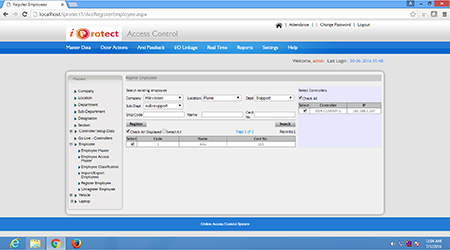
iProtect Access Control Masters Update- UnRegister Employees
iProtect Access Control Masters Update- UnRegister Employees
Frequently Asked Questions
Q.What does 'Unregister Employee' mean in iProtect?
Unregistering an employee removes their biometric templates and card credentials from the physical access control devices (controllers/readers), preventing further access without deleting their record from the iProtect database.
Q.How do I unregister an employee from access control in iProtect?
Go to Masters Update → Access Master → Unregister Employees. Select the employee(s) and the target device(s), then execute the command. iProtect pushes the deletion command to the controllers.
Q.What is the difference between deactivating and unregistering an employee in iProtect?
Deactivating an employee disables access in the software. Unregistering physically removes their template from the hardware devices. Both steps are recommended when an employee leaves the organisation.
Q.Can iProtect bulk-unregister multiple employees at once?
Yes. iProtect supports bulk unregistration — select multiple employees and devices from the Import/Export Employees interface and execute the unregister command in a single operation.
Q.Does unregistering an employee affect their attendance records?
No. Unregistering only removes credentials from devices. All historical attendance and access log records remain intact in the iProtect database for reporting and payroll purposes.